> For the complete documentation index, see [llms.txt](https://tgtaps.gitbook.io/tgtaps-docs/llms.txt). Markdown versions of documentation pages are available by appending `.md` to page URLs; this page is available as [Markdown](https://tgtaps.gitbook.io/tgtaps-docs/features/levels.md).
# Levels
If you have a game Telegram Mini App, the user can have levels.
Levels have the following properties:
* Image (each level can have own image or use the same for many levels).
* [Points per tap](/tgtaps-docs/blocks/clicker-game/click-button.md) increase bonus for the level reachment.
* [Max energy](/tgtaps-docs/blocks/clicker-game/energy-progress.md) increase bonus for the level reachment.
* “Starting from” points amount.
First level is always present at the application start. The following levels start at particular points amount. For example:
* Level #1 — is opened when the game stars.
* Level #2 — starts at 10 000 points.
* Level #3 — starts at 25 000 points.
* ...
* Level #10 - starts at 1 000 000 points.
You can track progress to the level by level progress block:
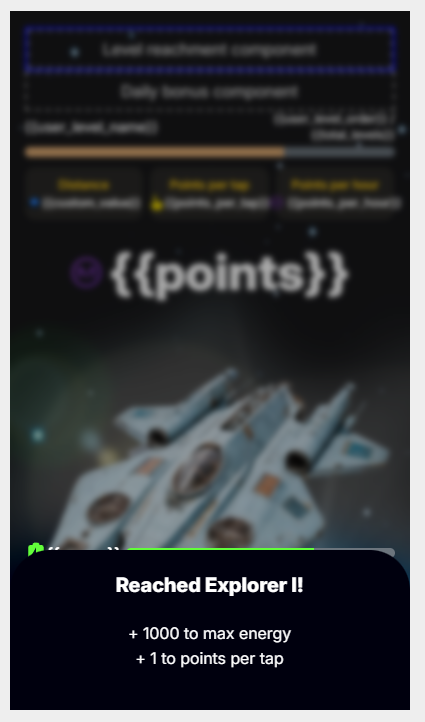
When the user reaches a new level, the level reachment dialog appears and receive bonus increases (if they are present):
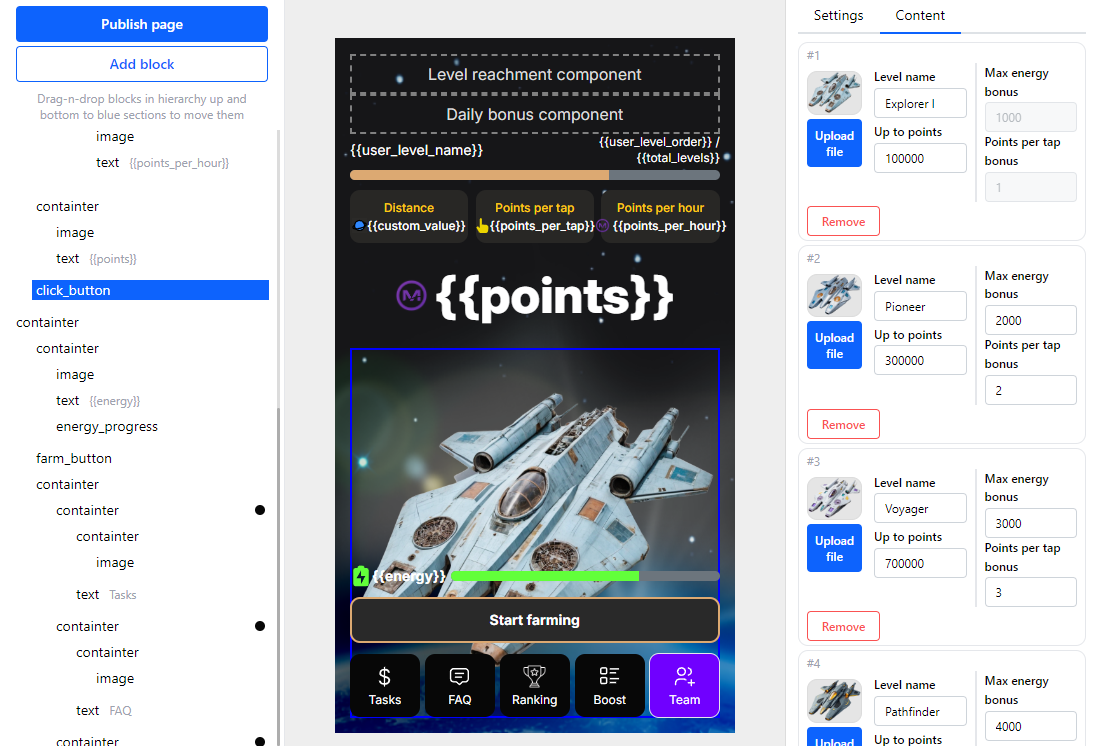
Levels can be configured via a couple of blocks ([click button](/tgtaps-docs/blocks/clicker-game/click-button.md), [level reachment block](/tgtaps-docs/blocks/clicker-game/level-reachment.md), [level progress block](/tgtaps-docs/blocks/clicker-game/level-progress.md)):
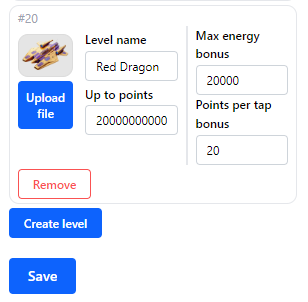
To add a level, enter the following properties and click save:
***
Something unclear in docs or you know how to improve article? [Message us in community!](https://docs.tgtaps.com/tgtaps-docs/readme/community)\
We will answer you and then promise to improve the article within 3 days.