> For the complete documentation index, see [llms.txt](https://tgtaps.gitbook.io/tgtaps-docs/llms.txt). Markdown versions of documentation pages are available by appending `.md` to page URLs; this page is available as [Markdown](https://tgtaps.gitbook.io/tgtaps-docs/mini-app-settings/analytics.md).
# Analytics
You can add Google Analytics to your application.
**Important:** data will appear in following cases:
* you installed the tag 30-60 minutes ago;
* you have online users that spend more than 10 seconds in your app.
1. How to create Google Analytics tag?
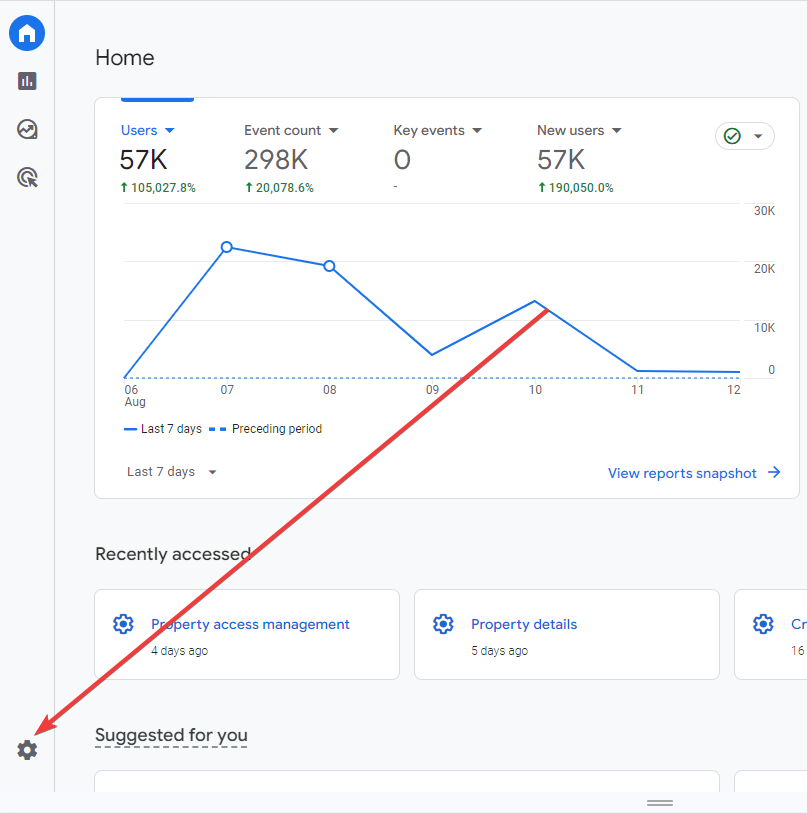
2. Click “Settings”:
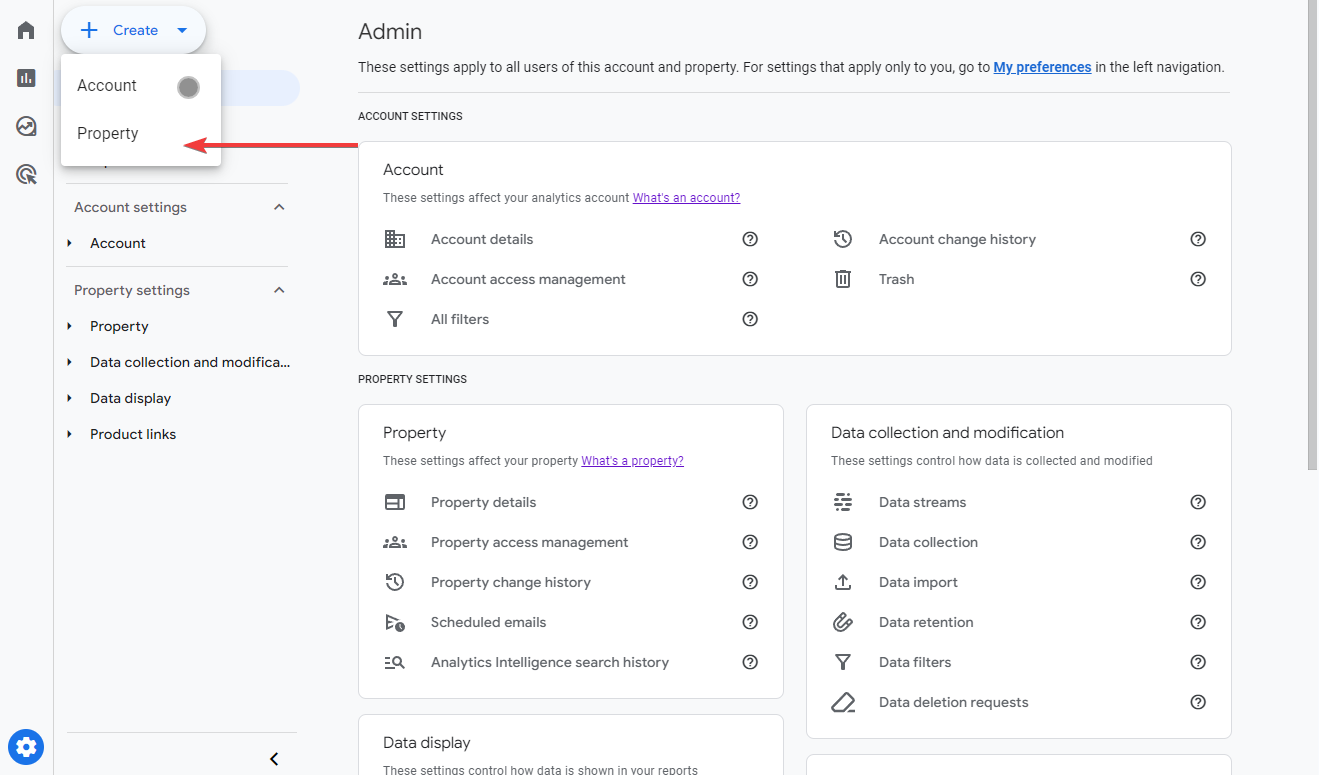
3. Click “Create Property”:
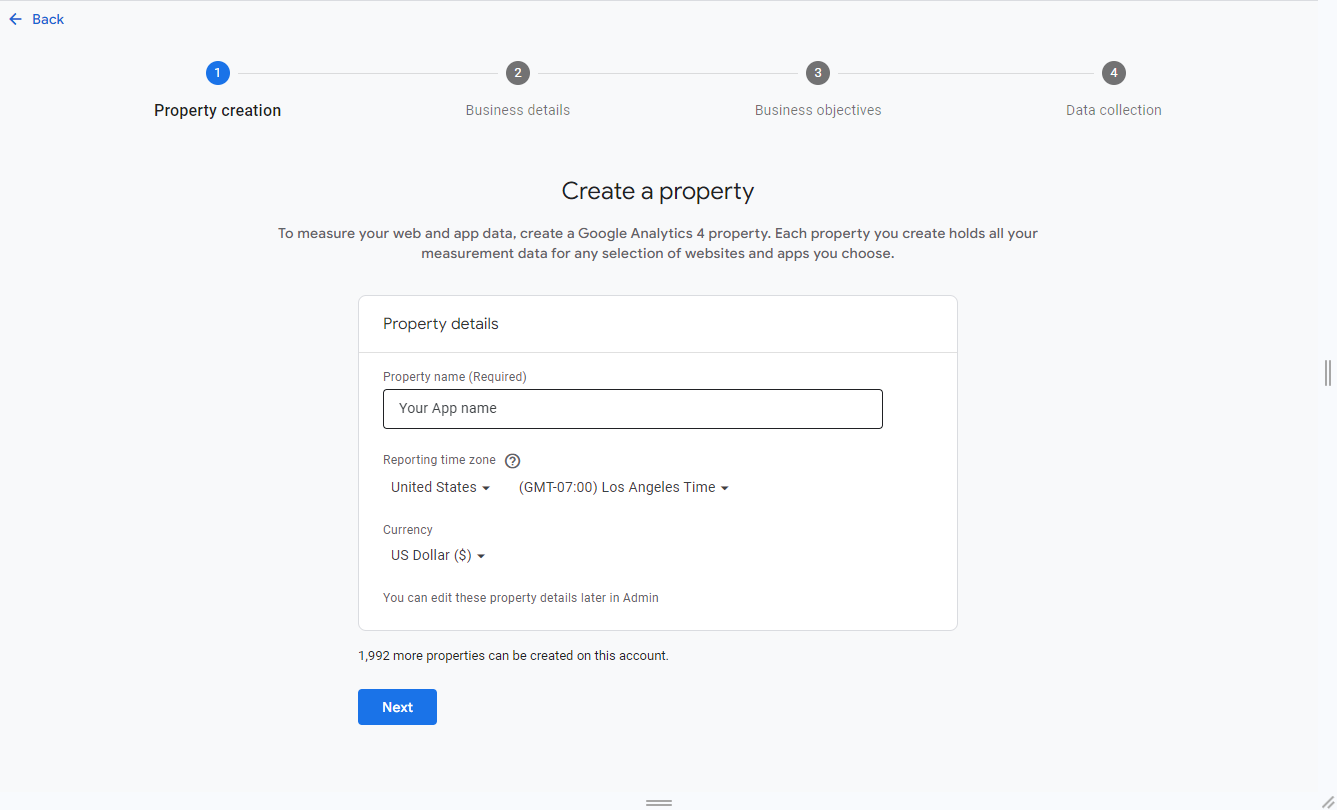
4. Fill all steps with data of your application:
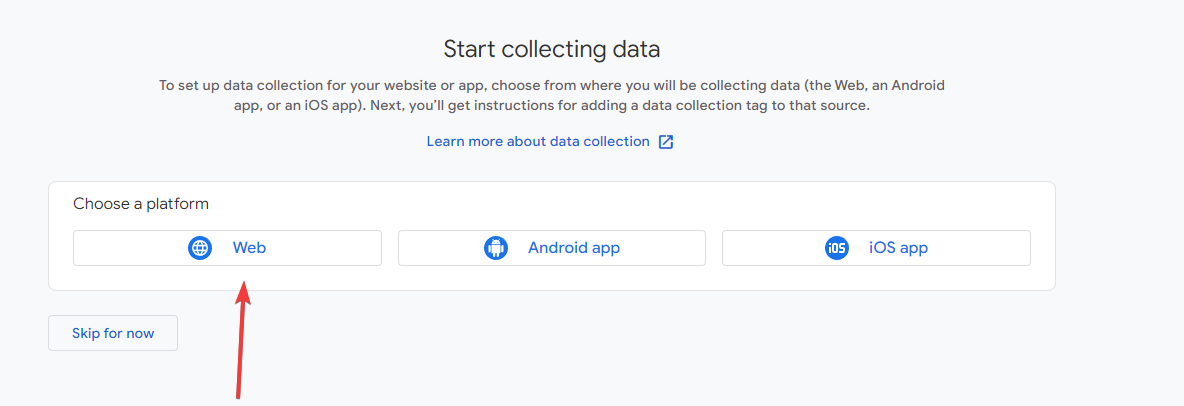
5. In the section of “data collection” choose “Web”:
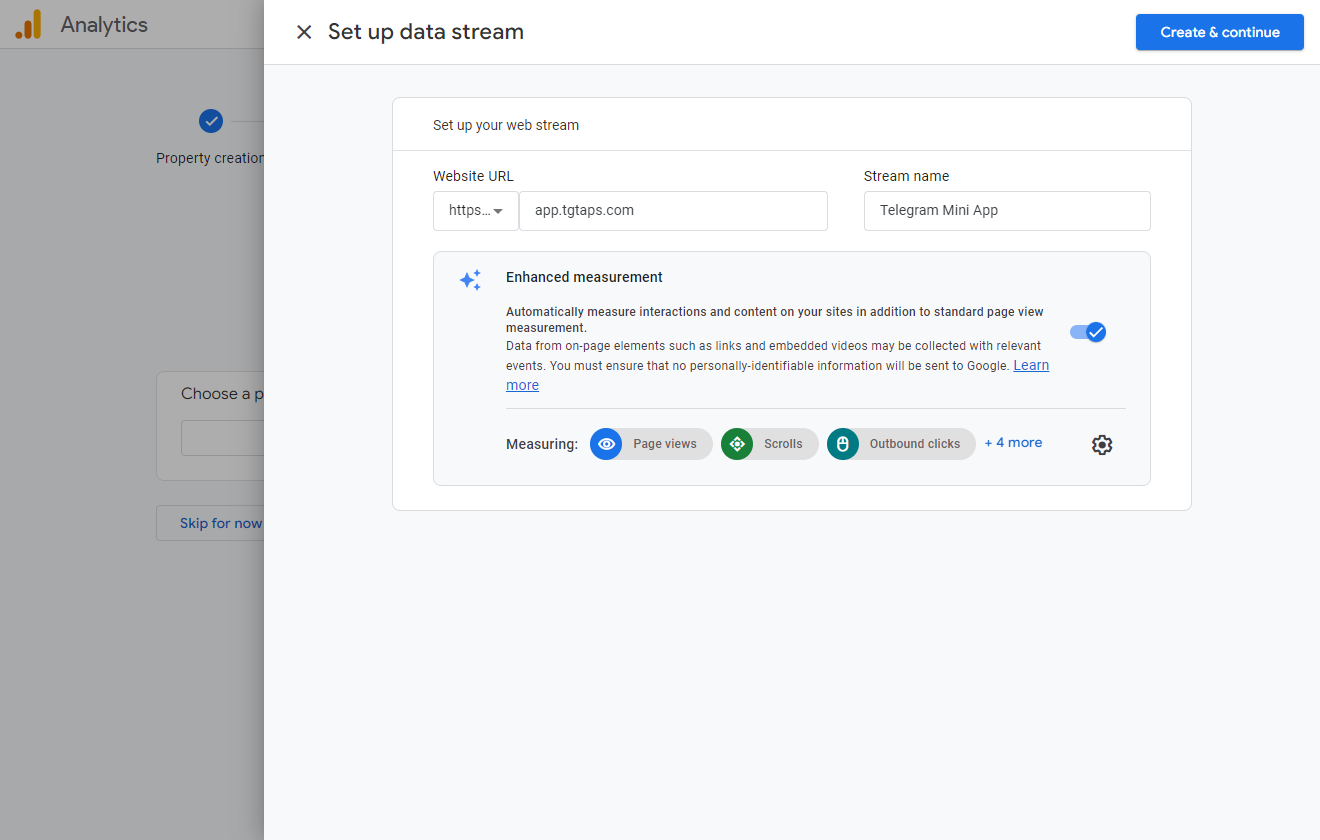
6. In domain, fill in “[app.tgtaps.com](http://app.tgtaps.com/)“ (this is URL of Telegram Mini App):
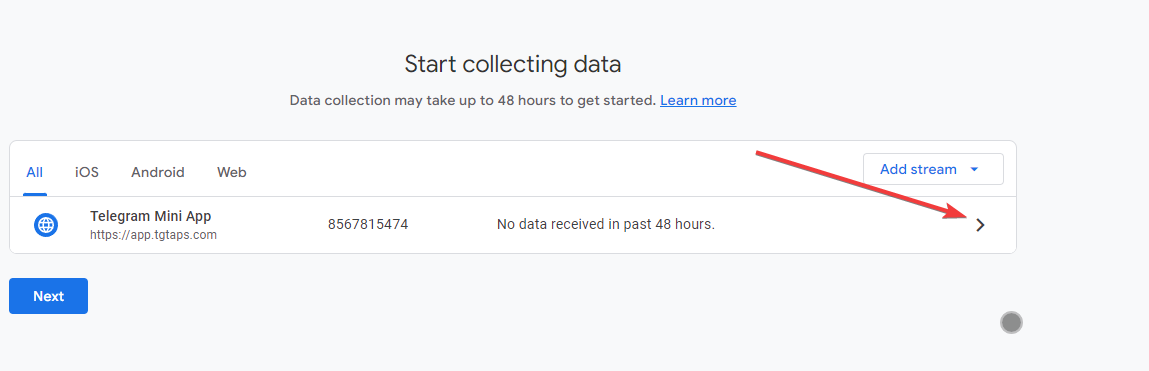
7. Here click “>“:
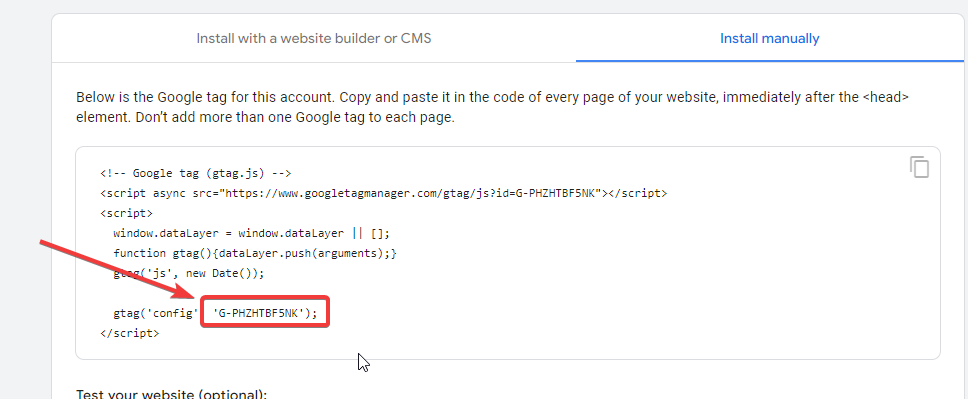
8. The sidebar will be opened, copy the code:
Code should look like `G-PHZHTBF5NK`.
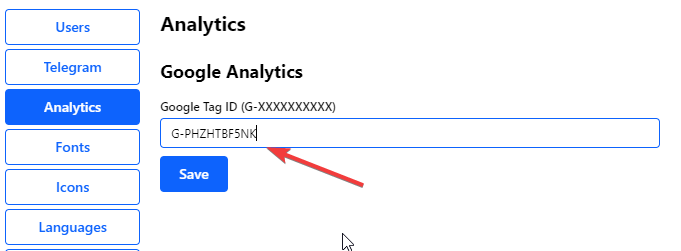
9. Copy this code to the Analytics tab and click save:
Data will appear in about a hour (if the application has users online).
***
Something unclear in docs or you know how to improve article? [Message us in community!](https://docs.tgtaps.com/tgtaps-docs/readme/community)\
We will answer you and then promise to improve the article within 3 days.