> For the complete documentation index, see [llms.txt](https://tgtaps.gitbook.io/tgtaps-docs/llms.txt). Markdown versions of documentation pages are available by appending `.md` to page URLs; this page is available as [Markdown](https://tgtaps.gitbook.io/tgtaps-docs/faq/how-to-insert-youtube-video-in-app.md).
# How to insert YouTube video in app?
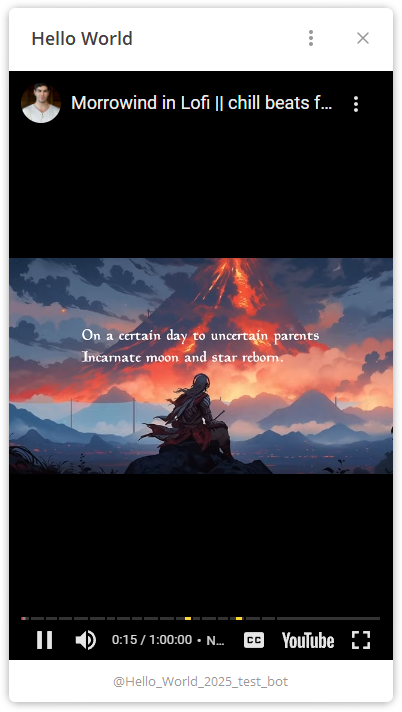
You can insert YouTube video in this way:
To insert the video, follow the following steps:
1. Go to YouTube video.
2. Click button “share” below the video:

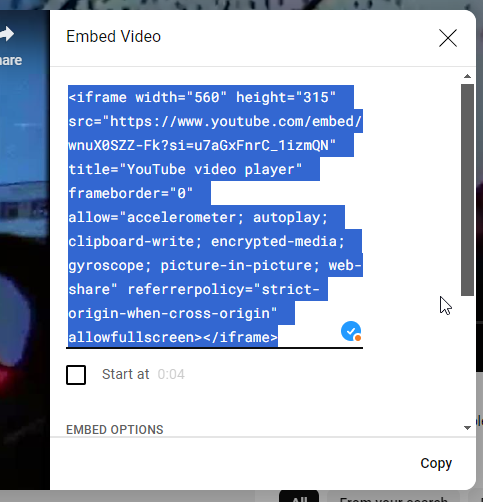
3. Select “embed”:
3. Copy the code:
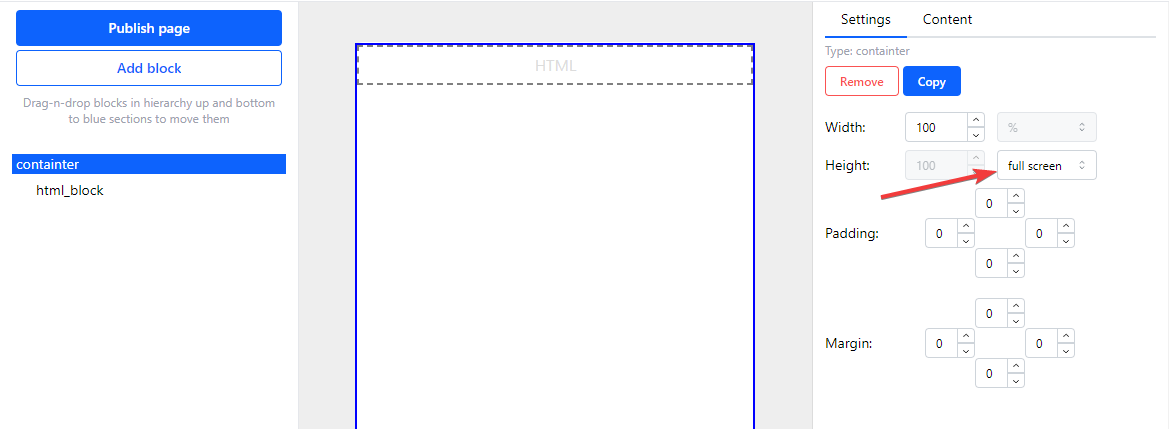
4. Add container and HTML block to the screen. Select “full screen height for the container”:
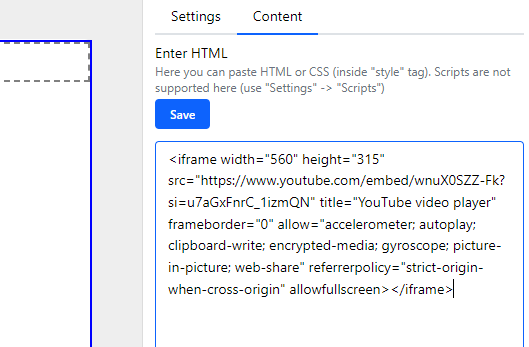
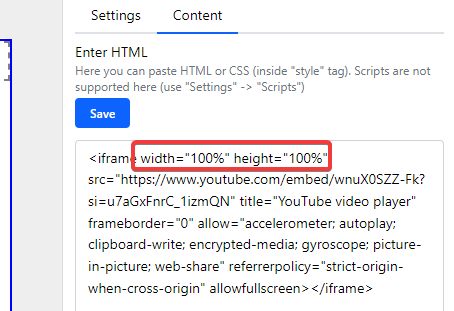
5. Insert HTML code into HTML block:
6. Set `width` and `height` to 100%:
7. Save the HTML and publish the page.
***
Something unclear in docs or you know how to improve article? [Message us in community!](https://docs.tgtaps.com/tgtaps-docs/readme/community)\
We will answer you and then promise to improve the article within 3 days.