> For the complete documentation index, see [llms.txt](https://tgtaps.gitbook.io/tgtaps-docs/llms.txt). Markdown versions of documentation pages are available by appending `.md` to page URLs; this page is available as [Markdown](https://tgtaps.gitbook.io/tgtaps-docs/blocks/clicker-game/level-reachment.md).
# Level reachment
When a user reaches [level](/tgtaps-docs/features/levels.md), a dialog window with the text appears:
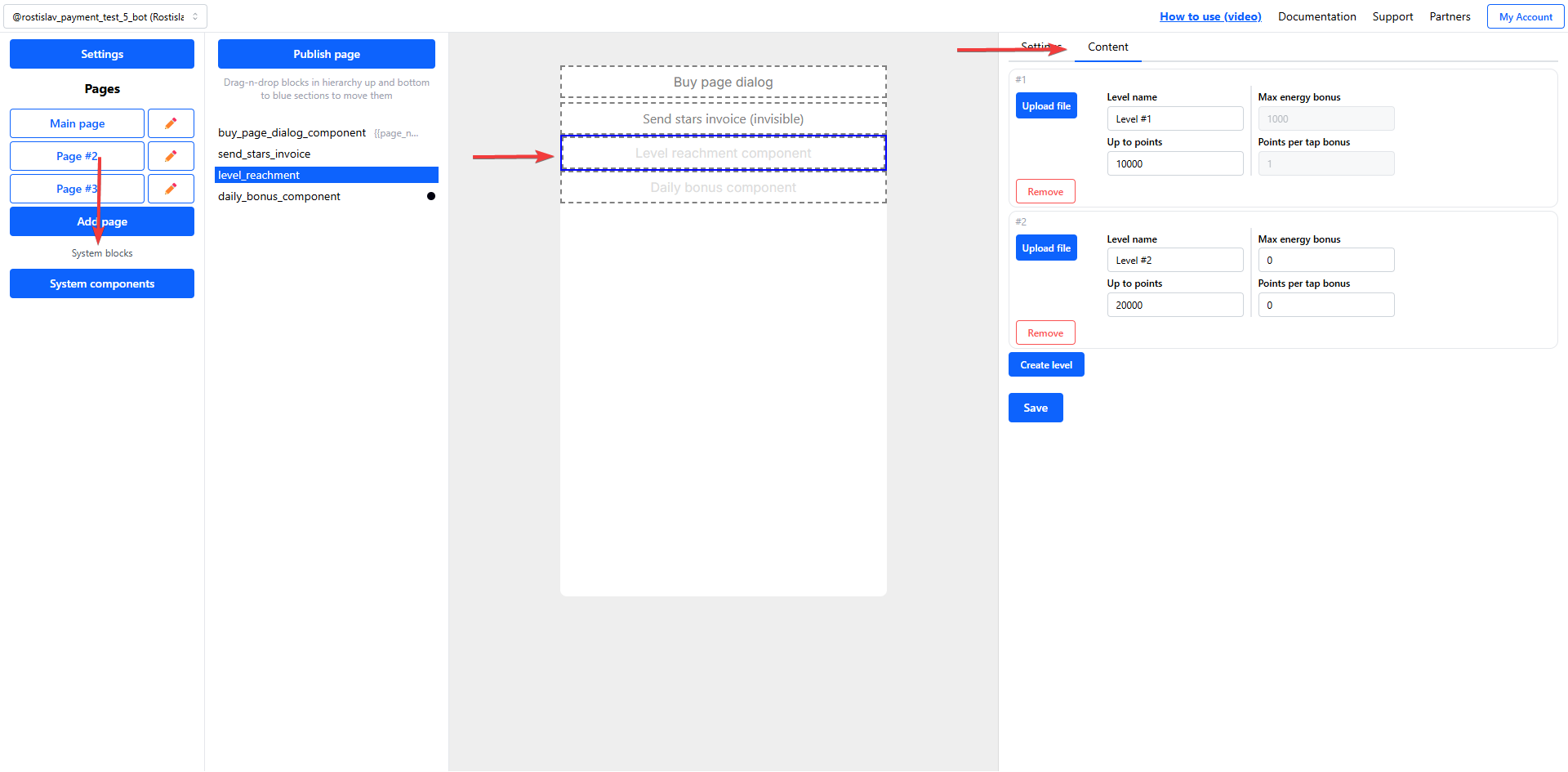
To configure level reachment component, go to “System components” and configure “Level reachement component”:
***
Something unclear in docs or you know how to improve article? [Message us in community!](https://docs.tgtaps.com/tgtaps-docs/readme/community)\
We will answer you and then promise to improve the article within 3 days.