> For the complete documentation index, see [llms.txt](https://tgtaps.gitbook.io/tgtaps-docs/llms.txt). Markdown versions of documentation pages are available by appending `.md` to page URLs; this page is available as [Markdown](https://tgtaps.gitbook.io/tgtaps-docs/faq/how-to-add-play-button-to-telegram-bot.md).
# How to add Play button to Telegram Bot?
1. Open chat with your bot.
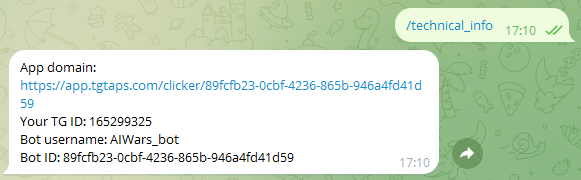
2. Send command `/technical_info`. You will see such message:
Copy “app domain URL”.
3. Open your bot in @BotFather.
4. Click “Bot Settings”:
5. Click “Menu button”:
6. Send to the chat app URL from 2nd step.
7. Send button name (like Play).
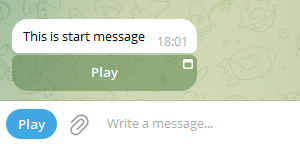
8. Done! Button is visible:
***
Something unclear in docs or you know how to improve article? [Message us in community!](https://docs.tgtaps.com/tgtaps-docs/readme/community)\
We will answer you and then promise to improve the article within 3 days.