> For the complete documentation index, see [llms.txt](https://tgtaps.gitbook.io/tgtaps-docs/llms.txt). Markdown versions of documentation pages are available by appending `.md` to page URLs; this page is available as [Markdown](https://tgtaps.gitbook.io/tgtaps-docs/mini-app-settings/telegram-messages.md).
# Telegram messages
When users open your bot, the bot sends messages. These messages can be configured in settings in “Telegram tab”. You can configure the following things in the message:
* text of the message;
* join app button;
* buttons with URL;
* buttons with commands.
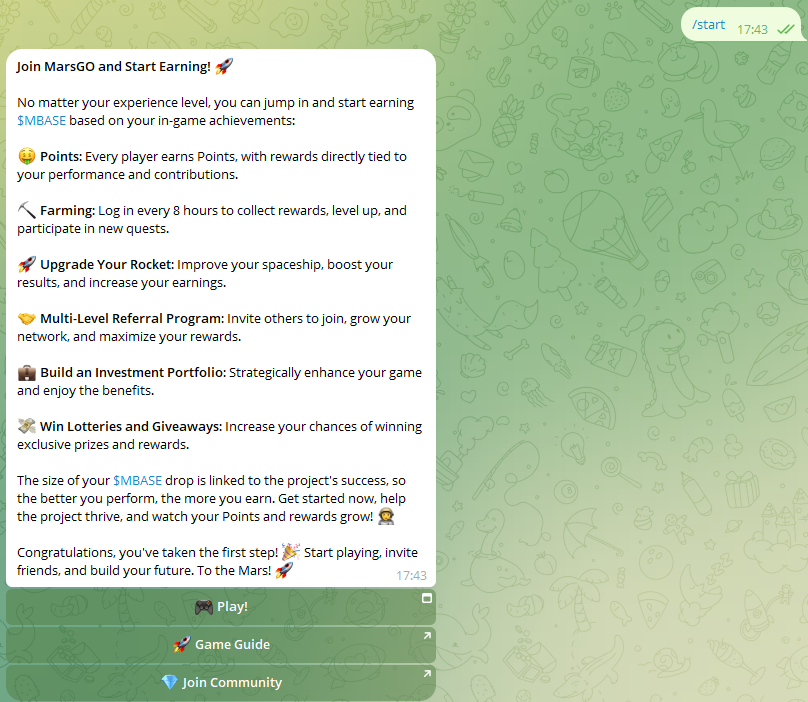
For example, the following settings:
Will produce the following message:
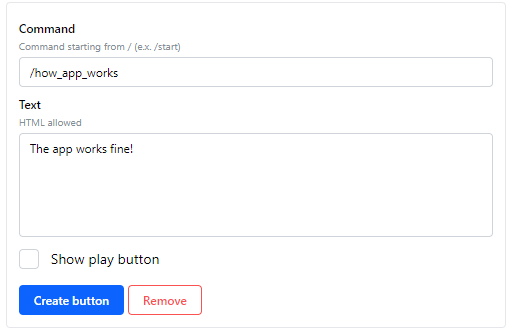
You can add chain of messages. For example, the message contains the button with command`/how_app_works` and the message which response to it.
For example, add a button to the existing message:
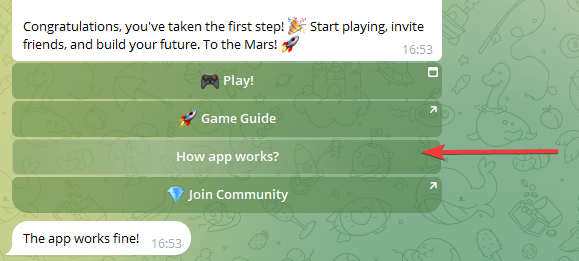
When the button is clicked, the following message will be sent:
The result is:
***
Something unclear in docs or you know how to improve article? [Message us in community!](https://docs.tgtaps.com/tgtaps-docs/readme/community)\
We will answer you and then promise to improve the article within 3 days.